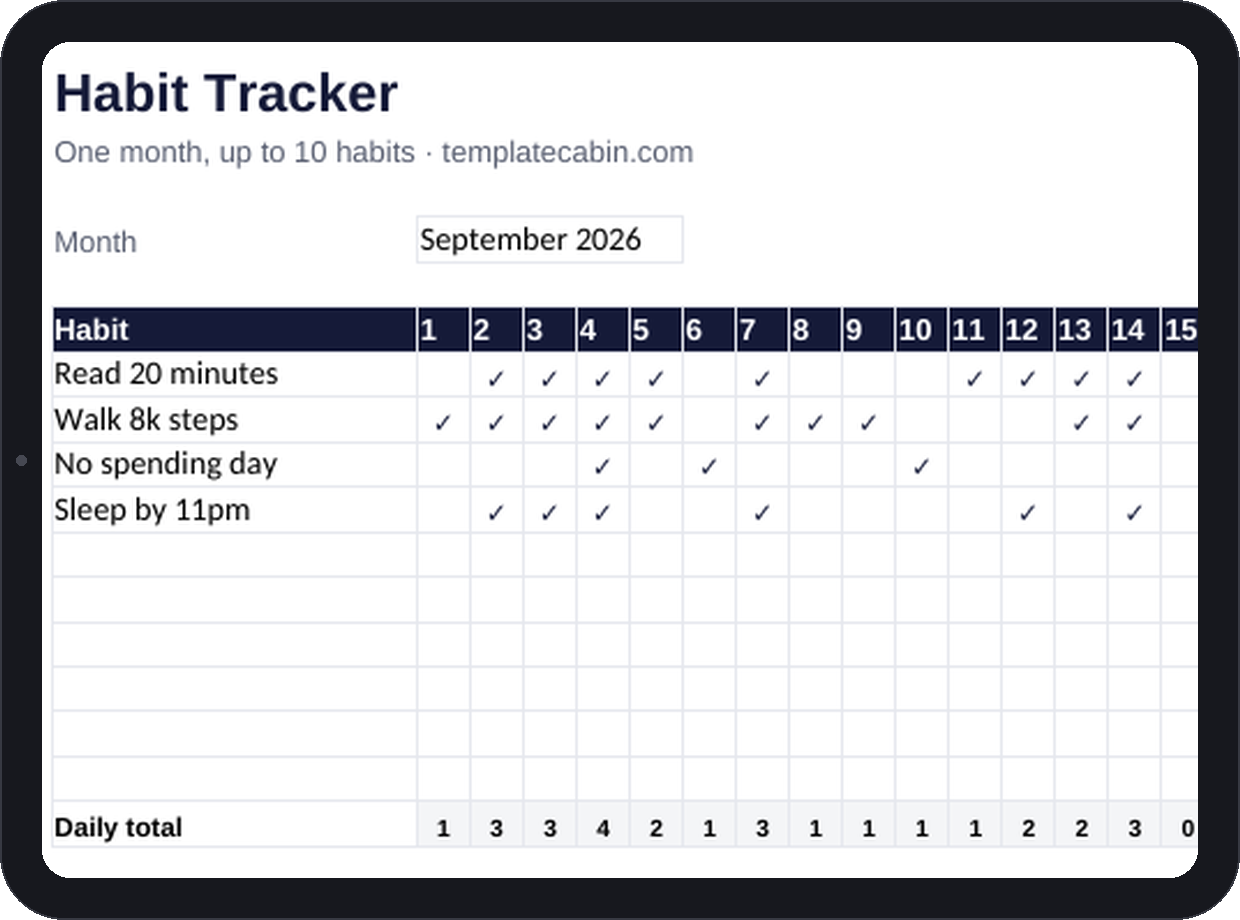
Every habit app eventually becomes its own habit to maintain: another login, another streak to babysit, another notification to dismiss before it turns into guilt. A grid of checkmarks doesn’t do that, because updating it costs nothing. This is that grid, with just enough automation to be honest with you about how consistent you actually are.
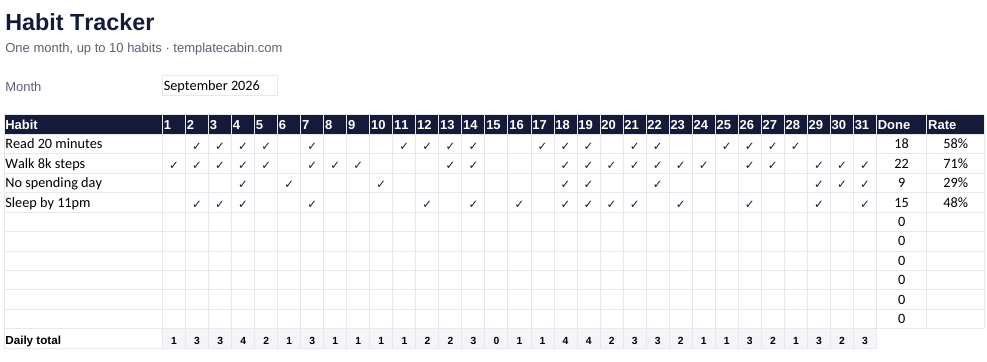
Up to ten habits run across 31 days, each one checked off from a dropdown, and each habit tallies its own completion count and rate without you doing any arithmetic. A daily-total row along the bottom shows which days you showed up at all, which turns out to matter more than any single habit’s number.
The example month is deliberately imperfect, because a real month looks nothing like a perfect one. Walking hit 22 of 31 days, 71%. Reading landed at 58%, sleeping by 11pm at 48%, and no-spend days at 29%, which sounds like failure until you remember that nine no-spend days in a month is a genuinely good result. The rate column is information, not a report card, and 60% of a habit practiced is still a habit. The all-or-nothing “don’t break the chain” mindset kills more habits than laziness ever does. One more thing the daily-total row tends to reveal: most people’s zero days cluster on the same weekday, every week, which is a schedule problem, not a willpower one, and schedule problems are fixable.
Track three to five habits, not ten. Every habit you add taxes the habit of tracking itself, and that’s usually what causes the whole sheet to get abandoned by week two. Phrase each one as a clean pass or fail: “walk 8,000 steps” is a yes or a no, “exercise more” is an argument you’ll have with yourself at 10pm. Check the grid at the same moment each day, with coffee or after brushing your teeth, so it attaches to something that already happens. Google Sheets works identically (File, Import, Upload, then “Replace spreadsheet”), and the mobile app turns the daily check into a ten-second task.
If you’re tracking something you’re trying to quit rather than build, invert it the way the example does with “no spending day,” where the checkmark marks an absence instead of an action. The rate divides by 31 regardless of the actual month length, for simplicity; edit the divisor if that bothers you, though the meaning stays the same either way. Duplicate the tab each month and let the rates sit side by side. That comparison, more than any single month’s number, is where this actually gets satisfying. Free, no signup, for personal or commercial use. Formula problem? Tell us and we’ll retest and fix it.
Grab the file and follow the setup steps above. It takes about two minutes.
Download the habit tracker (.xlsx)