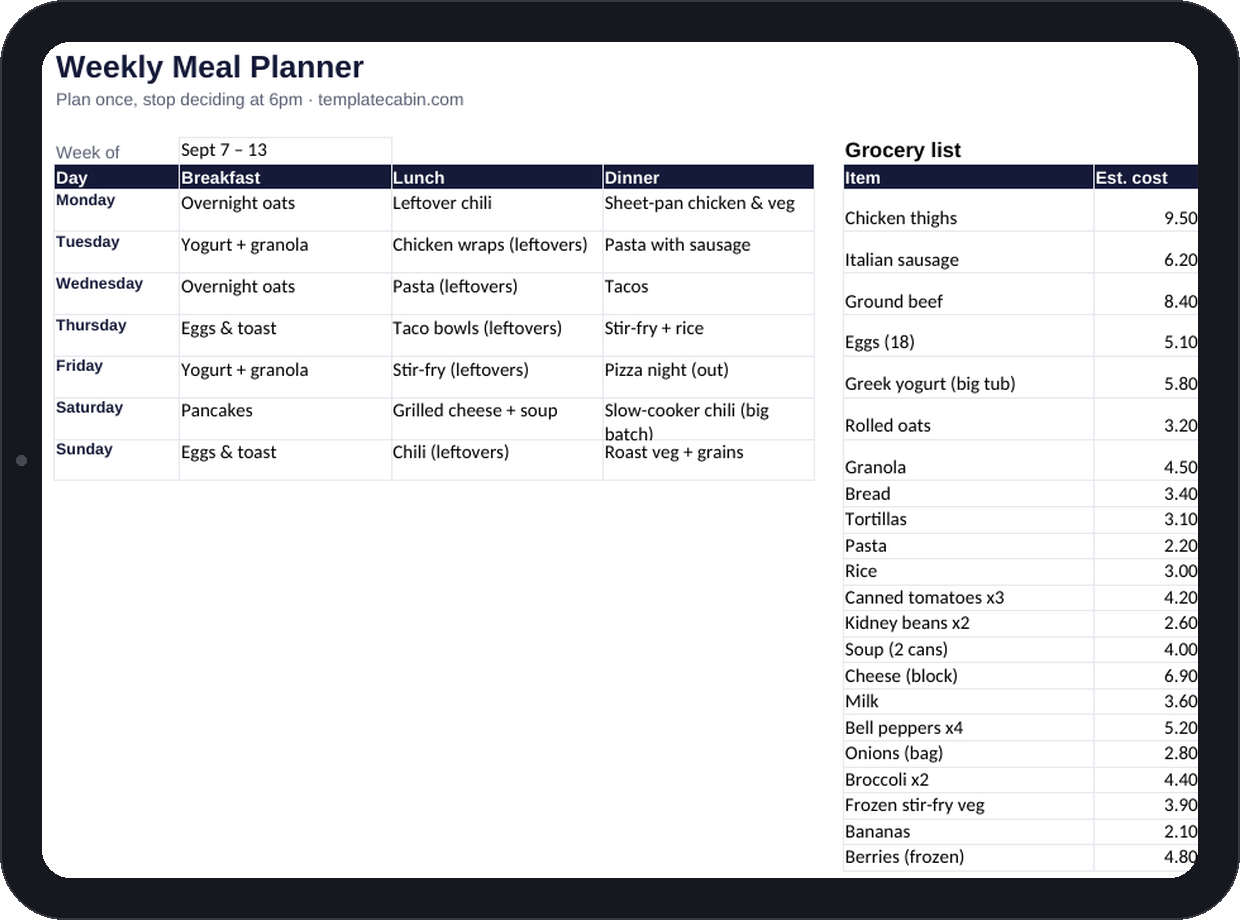
The most expensive meal of the week is almost always the one nobody planned, the takeout order that happens because it’s 6pm, everyone’s hungry, and no decision got made earlier when there was time to make one well. Meal planning isn’t really about food. It’s about moving one decision from the worst possible moment to the best one, from hungry-at-6pm to Sunday-with-coffee.
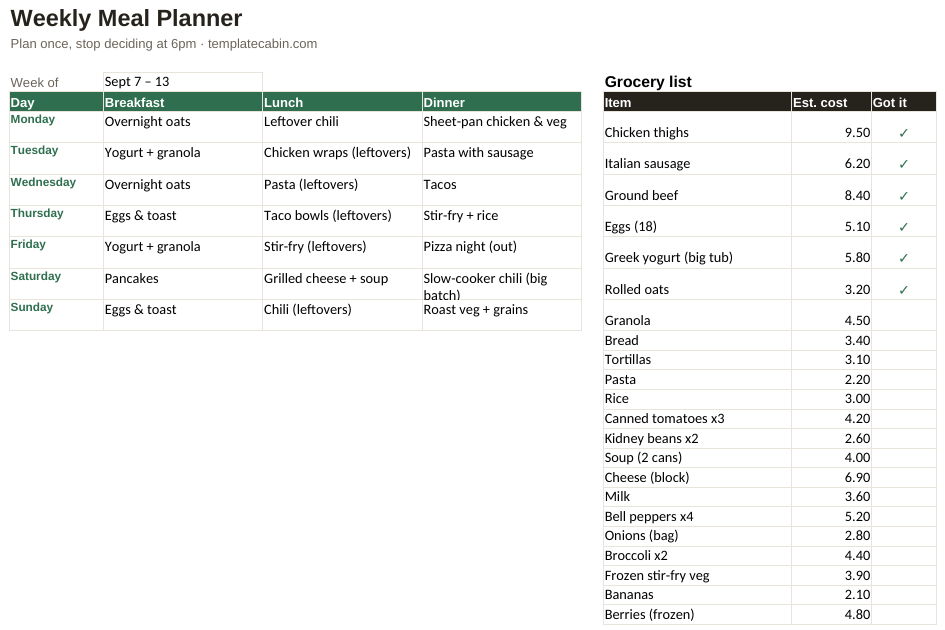
A seven-day grid covers breakfast, lunch, and dinner, next to a grocery list that totals its own cost estimates automatically and a “got it” column for checking items off in the store. The example week runs 24 grocery items to a $109.40 total, formulas checked before publishing, and it’s built to actually be usable rather than aspirational.
Look at the shape of that example week rather than the specific dishes in it. Almost every lunch is simply “leftovers,” which means most days cost nothing extra and take zero morning effort to sort out. Friday is deliberately planned as pizza night out, not because pizza deserves a place on a meal plan but because a plan with no built-in release valve gets abandoned the first time life actually happens. The cost column isn’t there for accounting; it’s a reality check before you’re standing in the store, and if the total runs higher than expected, the fixes are visible right on the page: swap one meat dinner for a bean-based one, or repeat a dinner that’s already planned instead of adding a new one.
Plan dinners first and cook once to eat twice where it makes sense; in the example, Sunday’s chili becomes Monday’s lunch without any extra cooking. Rotate three breakfasts rather than inventing seven, since most people don’t actually want variety at 7am, they want to not think about it at all. Build the grocery list from the grid dinner by dinner, and shared ingredients across meals collapse the list faster than planning each meal in isolation. Shop from your phone, tapping items off as you find them, and pre-check anything already sitting in the pantry so the list reflects what you actually still need.
It works the same in Google Sheets (File, Import, Upload, then “Replace spreadsheet”), and adding a snack column or a fourth meal slot is as simple as inserting a column, nothing in the formulas depends on exactly three meals. If the week never goes exactly as planned, that’s not really a failure; the plan’s job was finished at the store, since seven dinners’ worth of ingredients are already in the house by the time Wednesday rolls around, and which night ends up being taco night doesn’t actually matter. Most people eventually find they don’t need new recipes so much as their eight or so reliable ones on a rotation; a “rotation” tab makes assembling a new week a two-minute job instead of a blank-page problem. Grocery totals flow straight into the 50/30/20 calculator if you’re tracking a budget alongside the meals. Free, no signup, free for personal and commercial use. Problem with the file? Tell us.
Grab the file and follow the setup steps above. It takes about two minutes.
Download the meal planner (.xlsx)