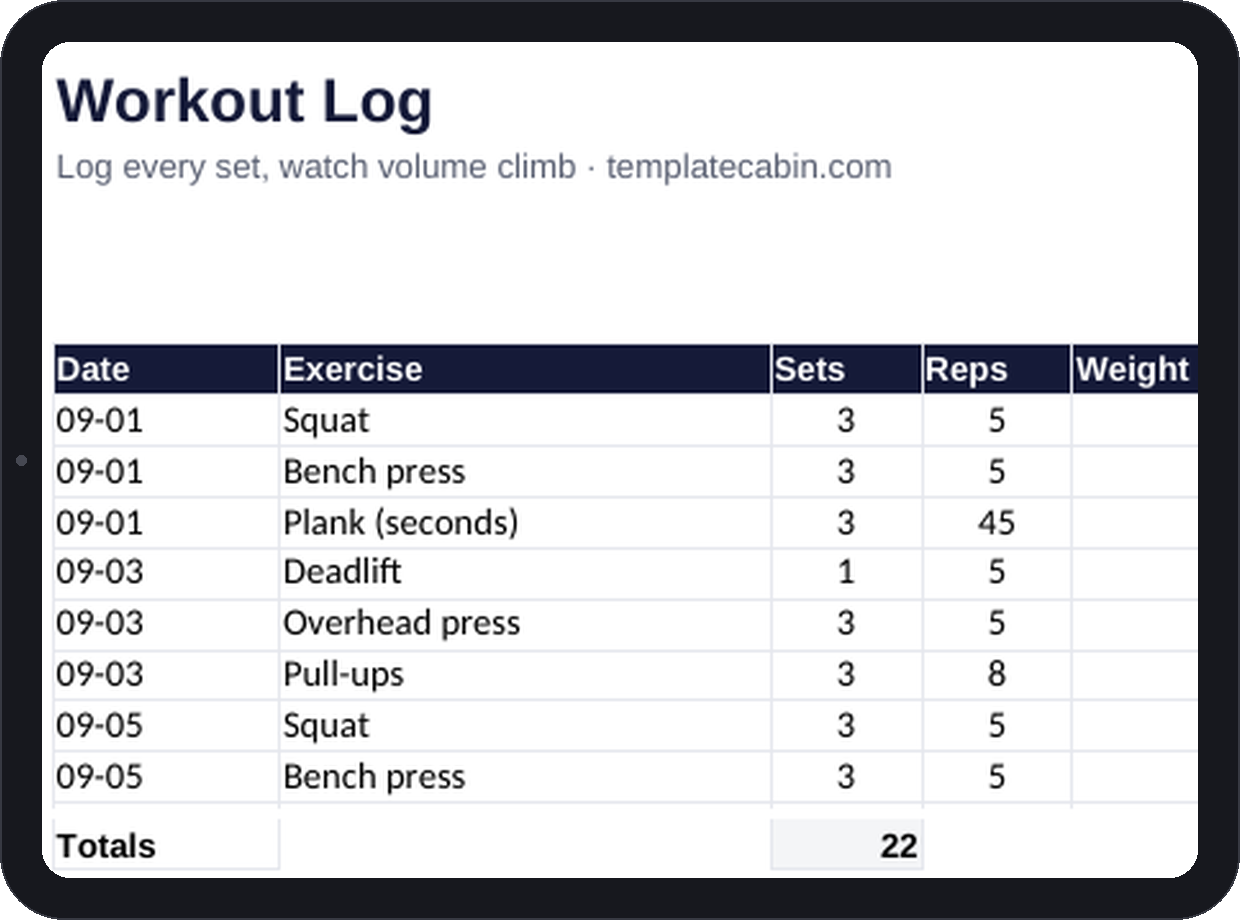
Progressive overload just means doing slightly more than last time, and that requires actually knowing what last time was, not a rough memory of it. The people who make consistent progress in the gym are, almost without exception, the ones who write it down. This log asks for five things per row, date, exercise, sets, reps, weight, and computes training volume from them so small progress stops being invisible.
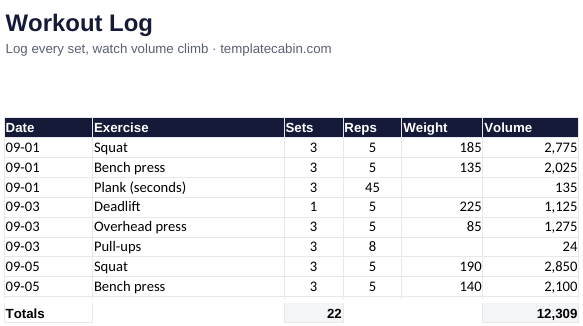
Forty rows cover roughly a month of training, with volume (sets times reps times weight) computing automatically per row alongside a running total. Bodyweight movements are covered too: a row with no weight entered just counts sets times reps, so pull-ups and planks show up in the totals the same as anything loaded with a barbell. The example week logs 22 working sets for 12,309 total volume, checked before publishing.
Adding 5 pounds to a squat barely registers in the moment it happens. But 3 sets of 5 at 190 versus 3 sets of 5 at 185 is a real 75 points of volume, and watching a weekly total climb from 12,309 toward 13,000 over a few weeks is concrete evidence of progress that a mirror won’t show for a while yet. Volume catches the quiet version of regression too, a stressful month where you still showed up but started dropping sets will sag the total before it shows up anywhere else, including how the lifts feel.
Log between sets, during the actual rest period, since “was that 8 reps or 7” gets less reliable by the minute once the workout is over. Use one row per exercise when the sets are identical, and separate rows whenever the weight changes within an exercise. Skip warmup sets entirely; working sets only, or the volume number stops meaning much. After a month, scan any single exercise from top to bottom. If it’s been flat for six weeks, the log just told you something no motivational quote will: change the rep range, add a set, or look at sleep before anything else.
Kilograms or pounds both work, the sheet just multiplies whatever unit you enter consistently, it doesn’t convert between them. Cardio doesn’t really fit the volume model here since it’s a strength metric, so a separate tab works better for logging runs if you want them in the same file. It works the same in Google Sheets (File, Import, Upload, then “Replace spreadsheet”), and duplicating the tab monthly builds a year of training history that most lifters wish they’d started keeping sooner. Pairs well with the habit tracker: that one answers whether you trained at all, this one answers what the training actually contained. Free, coaches included, no signup. Formula issue? Tell us and we’ll retest and fix it.
Grab the file and follow the setup steps above. It takes about two minutes.
Download the workout log (.xlsx)