Car repairs, Christmas, the annual insurance bill: none of these are actually surprises. They’re irregular, which is a different problem with a much simpler fix. A sinking fund means saving a little every month toward a cost you already know is coming, so that when it arrives it’s a withdrawal instead of an emergency. The idea barely needs math. It just needs a home, and that’s what this sheet is.
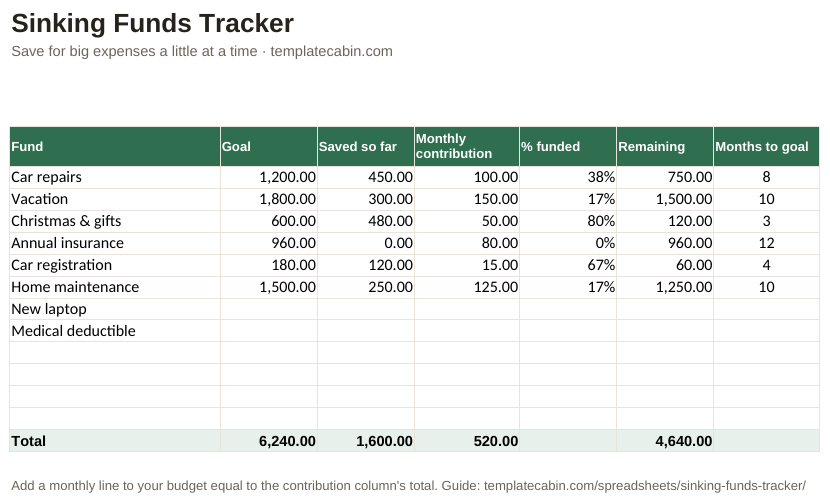
Each row is one fund: a name, a goal, what’s saved so far, and a monthly contribution. Three columns compute themselves from there, percent funded, what’s remaining, and months to goal, rounded up rather than down, because a partial month doesn’t actually pay a bill. A totals row at the bottom rolls everything into one number worth paying attention to: the combined monthly contribution, which is the single line that belongs in your budget.
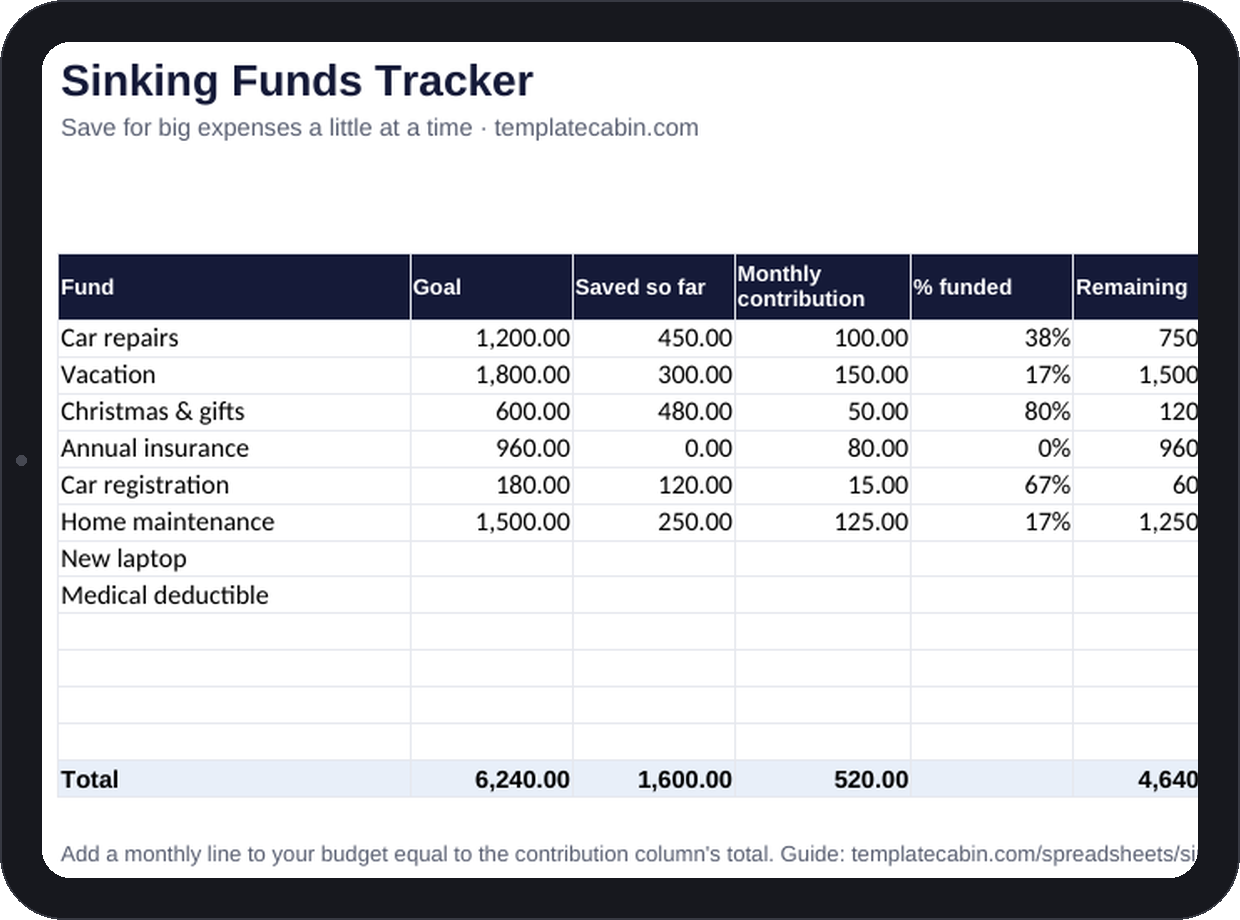
The example carries six funds and $520 a month covering $6,240 of annual irregulars between them. The car-repair fund alone, saving $100 a month toward a $750 remaining balance, shows 8 months to goal, a number checked formula by formula before publishing. To build your own list, scan twelve months of statements for anything over $100 that isn’t monthly. Those charges are your funds, whether or not you’d have called them that before seeing them lined up.
It’s worth keeping this separate from an emergency fund rather than letting the two blur together. An emergency fund covers genuine surprises, job loss, an unplanned medical bill. A sinking fund covers predictable irregulars you can see coming a year out. The practical reason to keep them apart: if Christmas raids your emergency fund every December, what you actually have isn’t an emergency fund, it’s a Christmas fund with some extra anxiety attached to it. Where the money physically sits doesn’t matter much, one boring high-yield account is enough, with this sheet recording who inside it owns what.
Update “saved so far” each time you contribute, and add the combined monthly total as one line in your budget, the same way it sits in the savings section of the biweekly budget. If you can’t fund every category at once, prioritize the deadline-driven ones, insurance, registration, first; fifty dollars toward any one fund is still a real start. Google Sheets works identically (File, Import, Upload, then “Replace spreadsheet”). Once a fund hits 100%, an annual bill’s fund should pause until after the bill clears, while a recurring one like car repairs just keeps going, refilling after each use; the percent column caps at 100 so a topped-up fund doesn’t distort the view. Free, no signup, for personal or commercial use. Spot an error? Tell us and we’ll retest and fix it.
Grab the file and follow the setup steps above. It takes about two minutes.
Download the tracker (.xlsx)