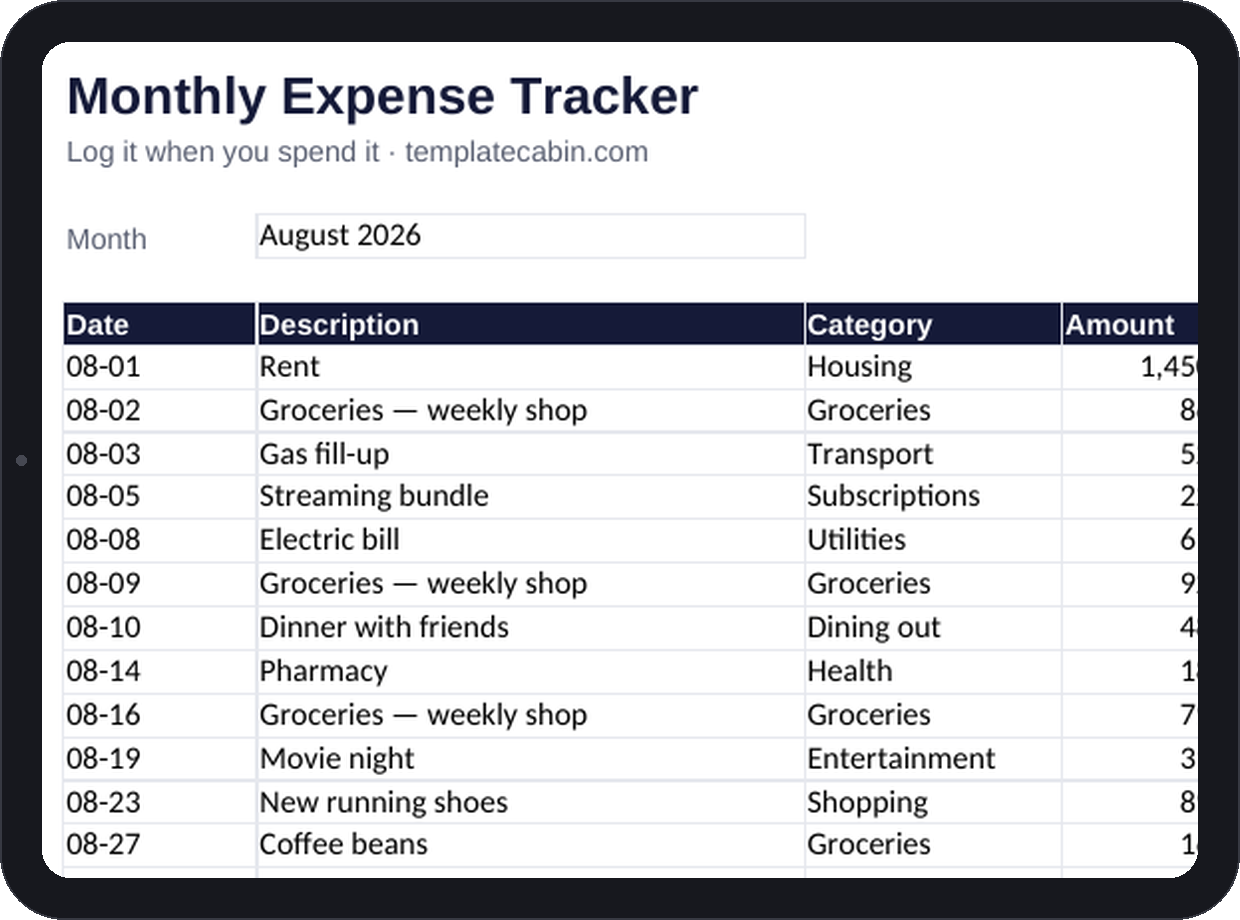
Bank apps already categorize spending automatically, and that automation is exactly why the numbers never really sink in. Something you didn’t have to type rarely changes how you spend. This tracker asks for fifteen seconds at the register instead: log the purchase, pick a category, and let the sheet do the adding.
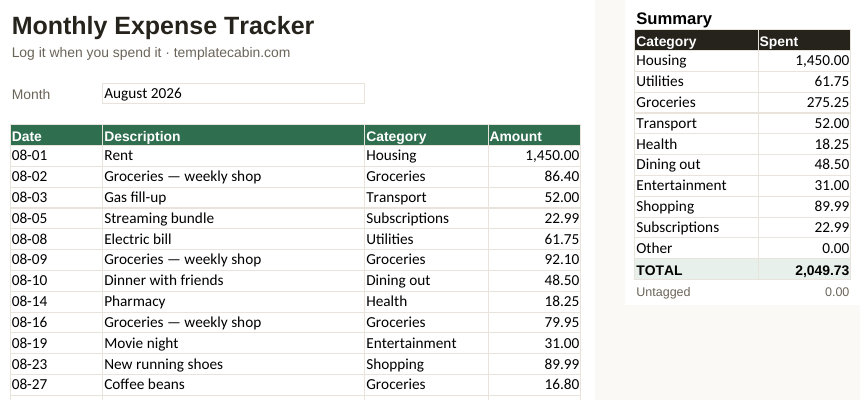
A 60-row transaction log holds date, description, a category dropdown, and amount, and a summary panel totals each of ten categories as rows fill in. An “Untagged” line flags anything that slipped in without a category, so nothing quietly disappears from the totals. The example tab carries twelve realistic transactions used to verify every formula before publishing, including four grocery runs that total $275.25 inside a $2,049.73 month.
Ten categories is a deliberate ceiling. Trackers with thirty categories tend to die in the second week, because choosing a category becomes its own small chore. Log at the register, on your phone, not in a Sunday-night batch from memory; batching feels efficient and is where most people quietly stop logging altogether. Rounding is fine too. $86 teaches you the same lesson as $86.40 does. And you don’t need to commit to this forever: one honestly logged month is usually enough to surface a number that genuinely surprises you, and that number is the entire payoff. It’s also exactly the input the 50/30/20 calculator needs to actually mean something.
For a new month, duplicate the tab and clear the log; a year of tabs becomes a spending history you can flip back through. It works the same way in Google Sheets (File, Import, Upload, then “Replace spreadsheet”), and dropdowns carry over automatically. To rename a category, change it in both the summary panel and the dropdown list (Data, Data validation); the Untagged line will catch anything that falls out of sync between the two.
The same structure works fine for business expenses if you swap in your own expense types, and pairs naturally with the freelance invoice template for the income half of the picture. Free, no signup, for personal or commercial use. Found an issue? Tell us and we’ll retest and fix the file.
Grab the file and follow the setup steps above. It takes about two minutes.
Download the tracker (.xlsx)