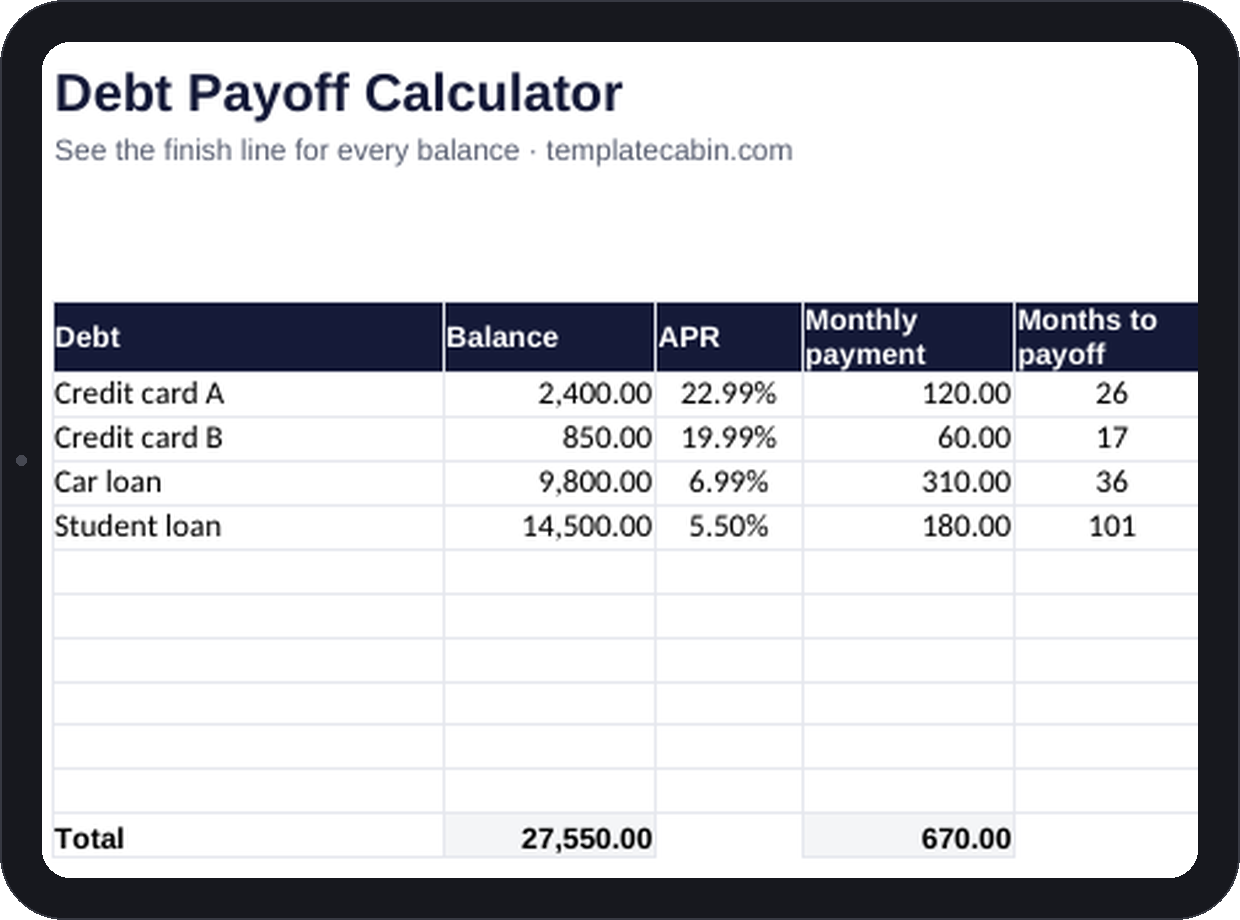
Try dividing a balance by a payment yourself and you’ll get a plausible-looking wrong answer almost every time. A $2,400 balance at $120 a month looks like 20 months of payments. The real answer, once 22.99% APR is doing its work on the early balance, is 26 months and $655 in interest. That six-month, $655 gap is the entire reason a statement telling you what you owe today is nearly useless for planning: it skips the two numbers that actually matter, when you’ll be done and what the ride costs.
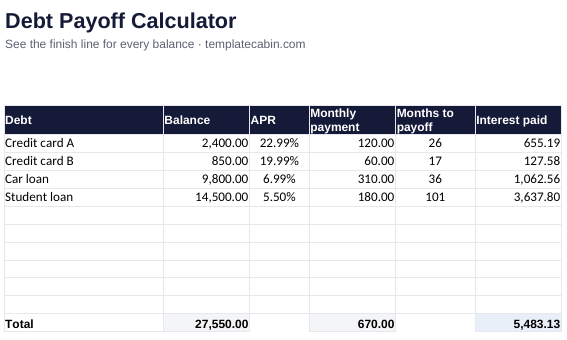
The calculator runs the same amortization math (NPER) that lenders use internally, not the rough division most people do in their heads. Enter a balance, an APR, and a monthly payment for each debt, and months-to-payoff plus total interest appear per row, with totals across everything. A built-in warning flags any payment that doesn’t even cover that month’s interest, which is worth catching before you’ve been making a payment that isn’t actually shrinking the balance.
The example carries four debts (two cards, a car loan, a student loan, $27,550 total, $670 a month combined) and it’s a decent stand-in for the snowball-versus-avalanche debate people have endlessly. Sort by balance for snowball and the smallest card, $850, disappears in 17 months, freeing up $60 a month and a real sense of progress. Sort by APR for avalanche instead and you save more in total interest. For most real debt sets, the dollar difference between the two methods is smaller than people assume, which means the method you’ll actually stick with is usually the right call.
The most useful cell in the whole sheet might be the simplest one: change any payment by $50 and watch every month-count and interest total update instantly. That’s a faster way to find motivation than most advice about debt ever manages. If you’re hunting for that extra $50, the subscription tracker is a good place to start looking, and once a debt is gone, its payment has an obvious next job in a savings goal.
Works identically in Google Sheets (File, Import, Upload, then “Replace spreadsheet”); NPER isn’t an Excel-only function. If your APR changes, just update the cell, since a current estimate still beats no end date at all. Minimum payments usually belong in the “needs” side of a budget, extra payments in “savings”; our 50/30/20 calculator is set up exactly that way.
Free, no signup. For genuinely difficult situations, a call with a nonprofit credit counselor is worth more than any spreadsheet; this tool is information, not advice. If a number looks off, tell us and we’ll check it.
Grab the file and follow the setup steps above. It takes about two minutes.
Download the calculator (.xlsx)