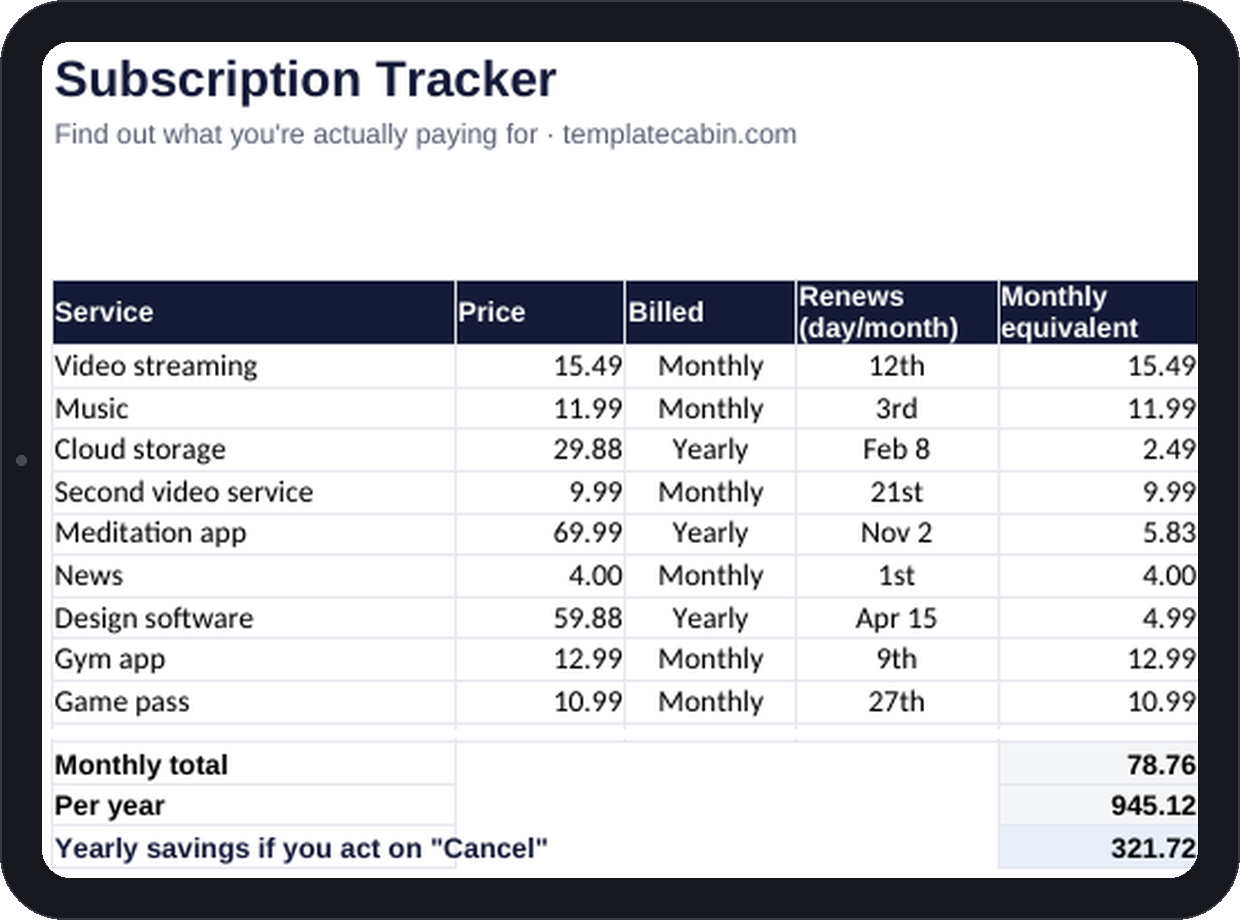
I built this after doing the math on my own subscriptions and getting a number I didn’t believe. Nine services, most of them under ten dollars, totaling $78.76 a month. Nothing on that list felt expensive on its own. Together they were a car payment.
That’s the trick behind subscription pricing, and it isn’t an accident. A $9.99 charge and a $69.99-a-year charge look like they’re in different categories, but $69.99 a year is $5.83 a month, cheaper than the thing that looks smaller. Nobody does that division while they’re signing up. The sheet does it for you, automatically, the moment you type in a price and a billing cycle.
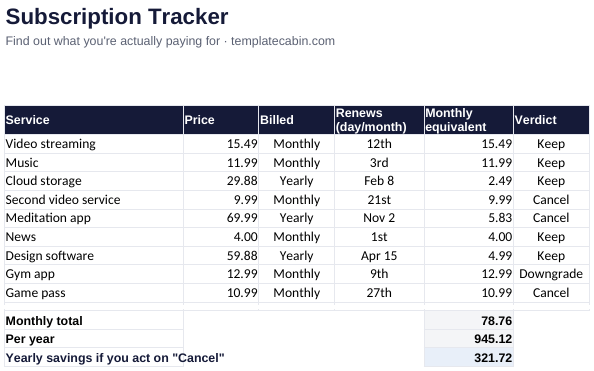
Three columns carry the whole thing: the service name, the price, and whether it bills monthly or yearly. Everything else, the monthly-equivalent conversion, the running total, the yearly cost of the things you decide to cancel, is a formula that updates the second you touch a cell. There’s a fourth column too, a verdict: Keep, Cancel, or Downgrade. I use one test for it, and it’s blunt on purpose: if you have to stop and think about whether you used the thing last month, it’s not a Keep.
In the example sheet, that test kills three subscriptions worth $321.72 a year combined. None of them were expensive individually, which is exactly why they’d survived this long.
Finding all nine in the first place is the actual work. The sheet can’t do that part for you. Give it ten minutes: your card statement for the last two or three months, the subscriptions page buried in your phone settings, and a search of your inbox for the word “renewal.” Annual charges are the ones worth hunting hardest for, because they’re built to bill you on a day you’re not paying attention. Cancel those the moment you find them regardless of the renewal date. You keep access until the date you already paid for. Waiting only helps the company betting you’ll forget again.
Once a quarter, open the sheet again and re-run the Keep/Cancel test. Fifteen minutes, four times a year, is the entire maintenance cost of not leaking money to things you stopped using in March.
A few things worth knowing before you download it. Shared or family plans go in at your share of the cost, not the full price, since the sheet is measuring what actually leaves your account. Phone bills and insurance don’t belong here even though they recur monthly, because they’re obligations, not choices; the bill tracker is the better home for those. And whatever you free up by canceling has a next job to do: a debt payment that closes a few weeks earlier, or a savings goal that arrives a little sooner.
It’s free, no signup, and works in Excel or Google Sheets (File, Import, Upload, then “Replace spreadsheet”). If a formula looks wrong on your setup, tell us and we’ll retest it.
Grab the file and follow the setup steps above. It takes about two minutes.
Download the tracker (.xlsx)